
The Auto-Earn function accessible via the Bybit Pay dashboard, is a convenient tool to allow Bybit Pay users to earn interest on their idle assets in Flexible Term, while being able to automatically redeem those assets for spending with Bybit Pay when enabled.
You can easily enable this function for specific coins that are supported on Flexible Term based on your trading preferences (in case you may want to keep certain assets in your account as margin for leveraged trading, etc.). This enables effective planning and utilization of your idle crypto assets.
A key advantage of the Auto-Earn function is its inherent flexibility. All assets that are automatically subscribed to Flexible Term (via the Auto-Earn function or not) can be redeemed at any time. This ensures you maintain real-time access to your assets while being able to earn daily yield at the same time.
Plus, you can also earn compounding interest on your Flexible Term (not available directly on the Easy Earn page) by enabling Auto-Deduction on the Bybit Pay dashboard!
How Does It Work?
Once you enable the Auto-Earn function, our system takes a snapshot of your current holdings in Flexible Term. Following this, at 10 AM UTC each day, the system will automatically allocate your transferable balance from your Funding Account to invest in Flexible Term plans.
The allocated amount during each execution of the subscription is subject to the maximum or minimum investment amount of Easy Earn. If the required minimum investment amount is met, the funds will be automatically invested into Flexible Term plans, up to the maximum investment amount. However, if the limit is exceeded or not met, the Auto-Earn subscription will fail for that day. The specific investing limits can be found in the details of the corresponding Flexible Term plans.
How to Subscribe to/Spend Easy Earn from Your Bybit Pay Dashboard
Here’s a step-by-step guide for subscribing to Easy Earn from your Bybit Pay dashboard and enabling the auto-deduction of your holdings in Flexible Term for spending with Bybit Pay.
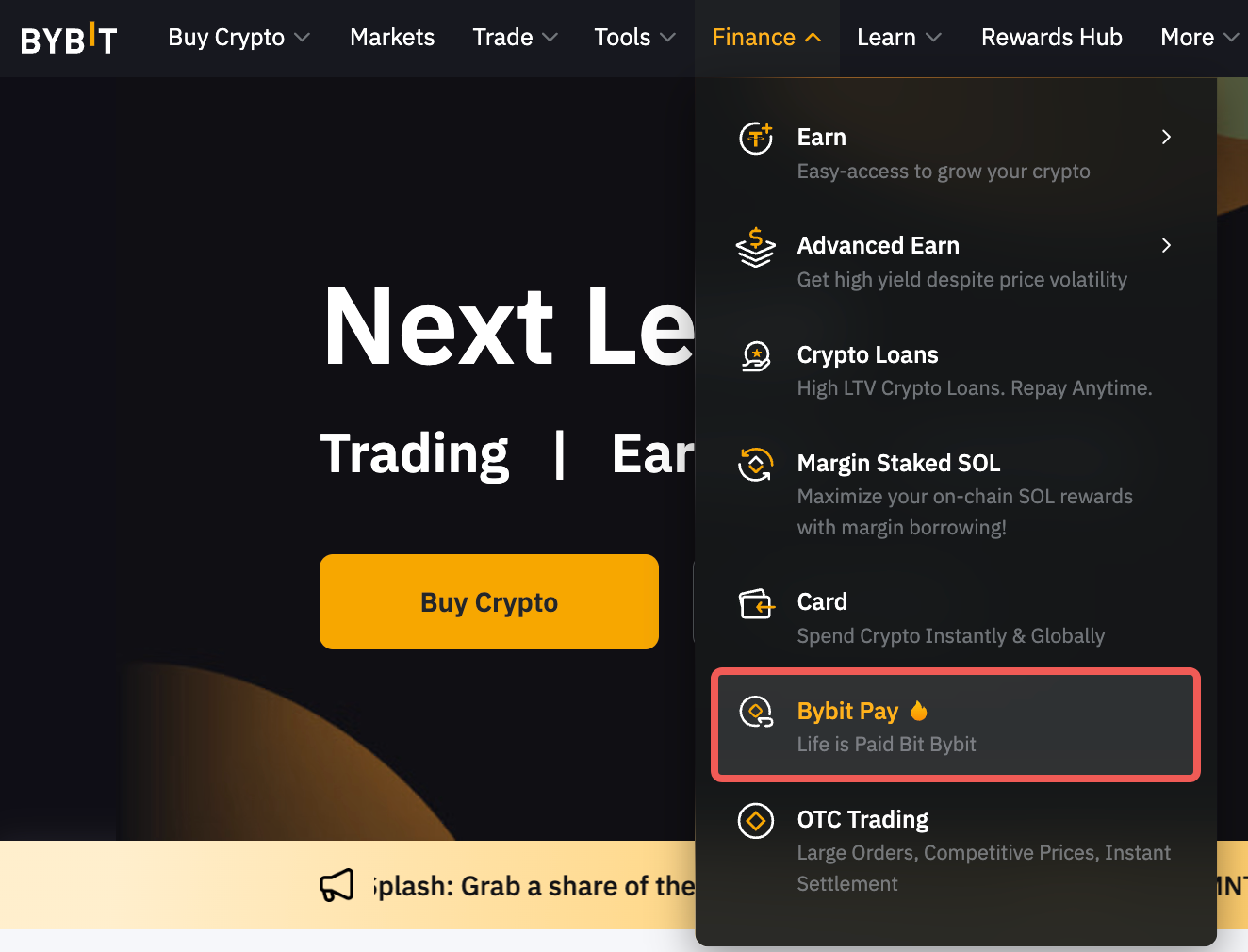
Step 1: Go to Finance in the upper left corner of the navigation bar on the Bybit page, then select Bybit Pay to enter the Bybit Pay page.
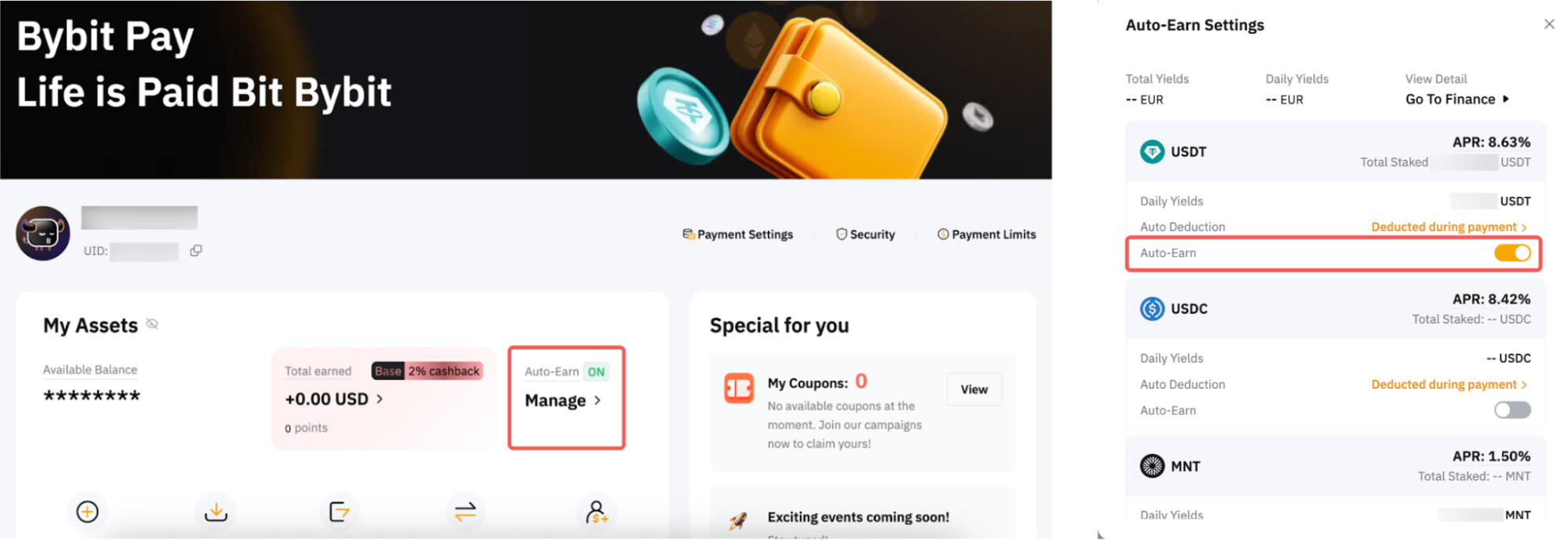
Step 2: On the Bybit Pay asset page, find the Auto-Earn switch button and toggle it on.
Enabling the Auto-Earn function will automatically use the transferable balance of your payment crypto asset (shown on each currency) in your Funding Account to subscribe to Flexible Term plans the next day.
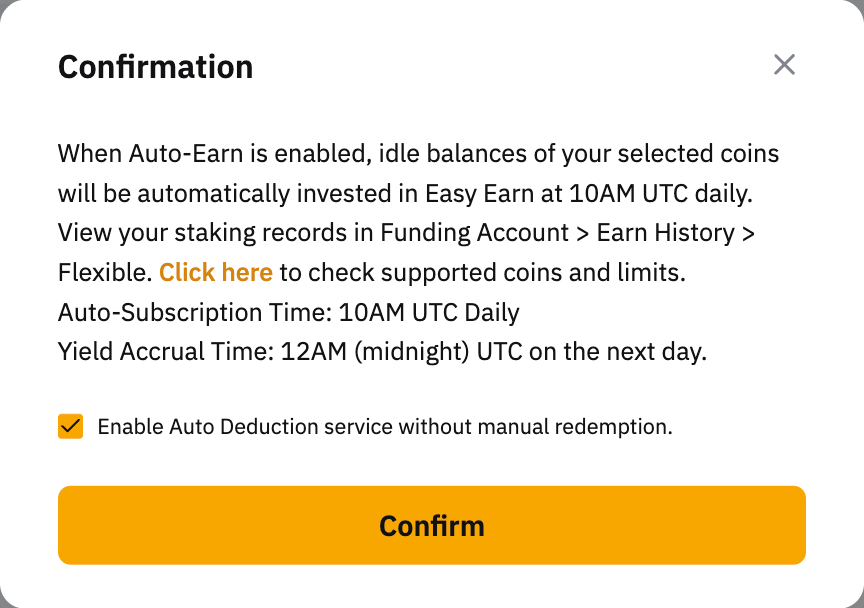
Step 3: Once you've made your selection, please read carefully and make sure you acknowledge the information, and then click on Subscribe Now to enable this function.
Step 4: If you want the selected payment crypto asset and the payment assets invested in the Flexible Term to be deducted for Bybit Pay payments, you may activate the Auto-Deduction function.
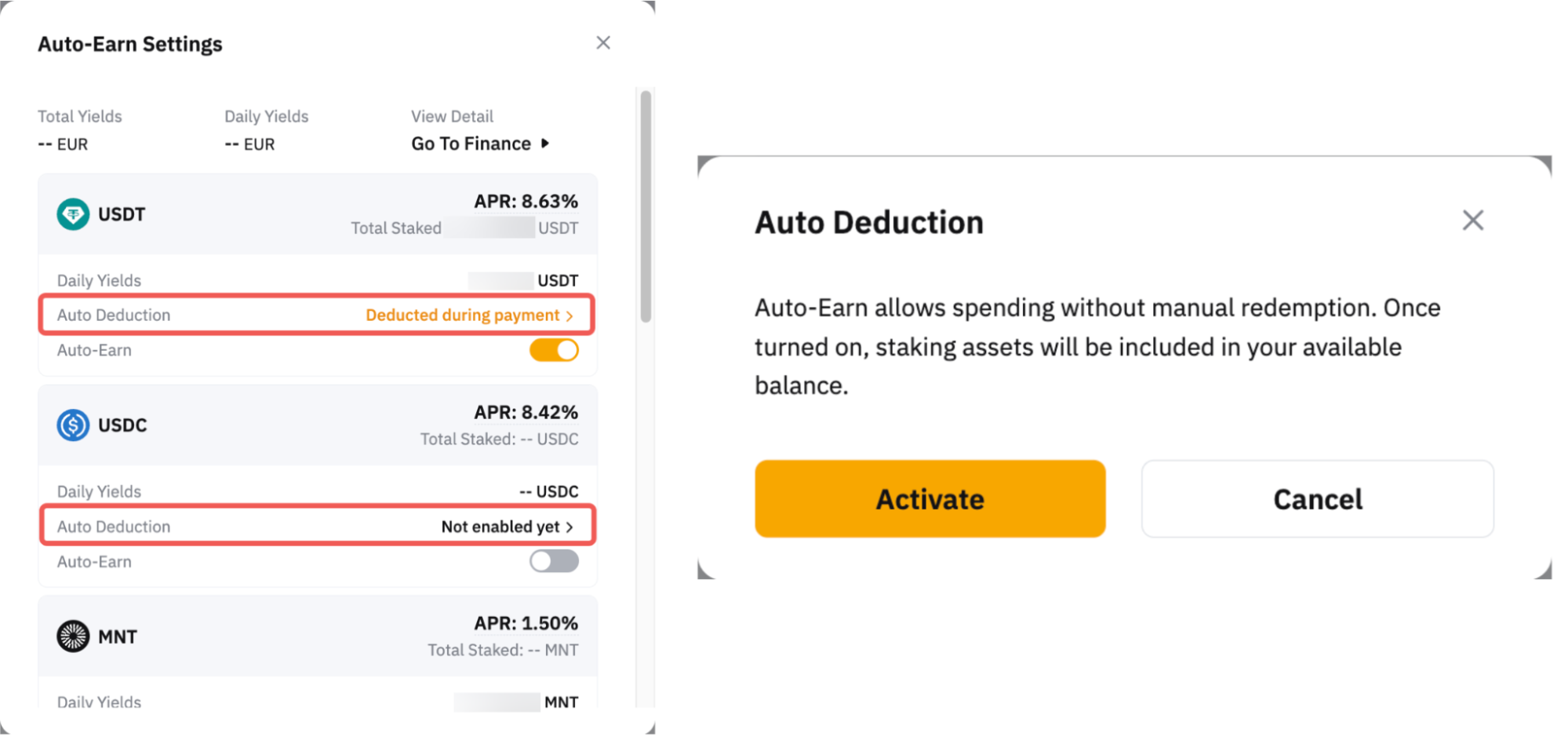
When the Auto-Earn function is disabled, assets that have been used to subscribe to Flexible Term plans will no longer be invested. For more details, please refer to this tab.
View Your Past Transactions
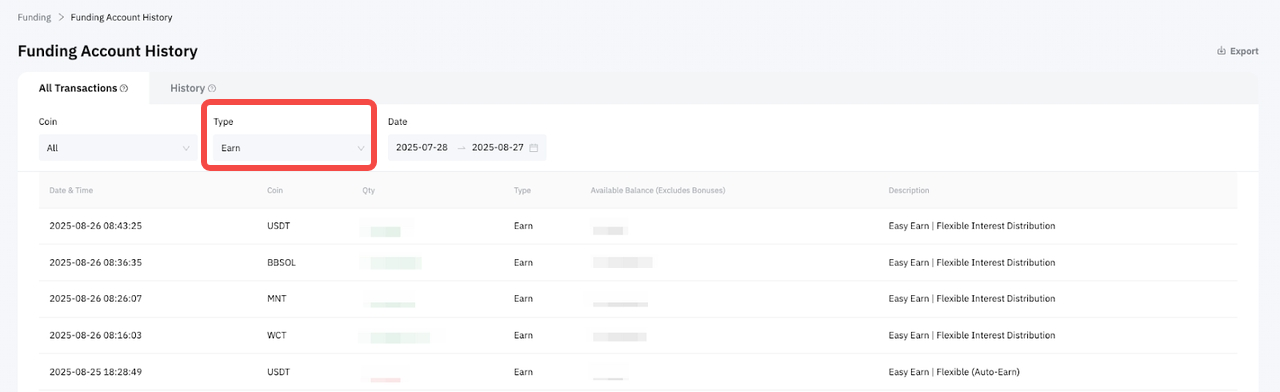
You can view your successful transactions in your Funding Account History under Earn.
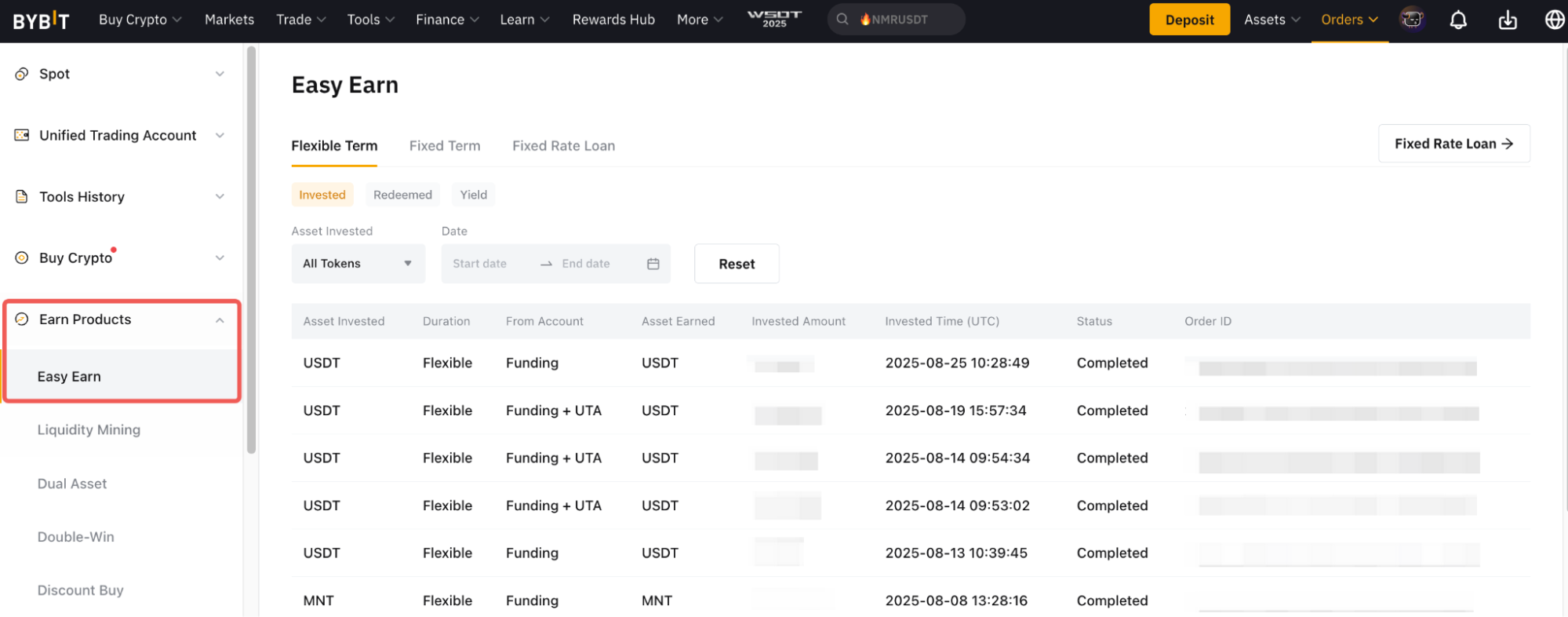
Additionally, you can also find your order records under Earn Order → Easy Earn.
For more detailed information on how the daily yield is calculated and answers to other common questions, please refer to the FAQ — Easy Earn.